Form Node
A custom node of your own template and dropdown fields.
A Form Node is a generic, user-built node: any number of named fields, each either a template field or a dropdown field.
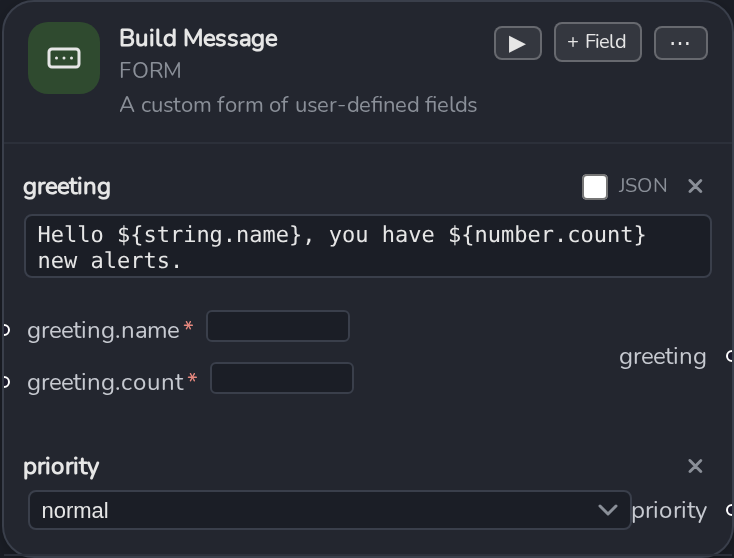
Adding a field
Click + Field on the node. Give it a Name, then pick its Kind:
- Template , free text containing
${string.x}/${number.x}/${bool.x}placeholders (see Template Syntax Reference). Each placeholder becomes an input port; the field’s rendered text becomes one output port. Toggle Is JSON if the field should be treated and formatted as JSON , a "" button appears to pretty-print it. - Dropdown , a fixed set of allowed values (entered comma-separated when adding the field). The selected value becomes that field’s single output port; a dropdown field takes no inputs.
Once a node has more than one field, port names are namespaced as <fieldName>.<var> so
placeholders with the same name in different fields don’t collide.
Each field row has a remove (×) button in the node’s edit state.
Reusing it
Once configured, a Form Node’s ⋯ menu → Save Node stores its full config as a Saved Node you can drop into any other flow.
Form Node is the general-purpose escape hatch , reach for it when you need a shaped input/output node that isn’t HTTP, GraphQL, or gRPC (a config block, a fixed set of test parameters, an enum picker feeding downstream nodes).